 Raid Alarm
 vs Rust+ vs a Discord bot: which raid alert should you use?
There are three common ways to find out your base is being raided: the official Rust+ app, a dedicated alert app that rings like a phone call, and a Discord bot that posts alerts to your team's server. They solve the same problem in different ways, and you can combine them.
Here is an honest comparison, including the parts where Raid Alarm is not the right pick.
At a glance
| Rust+ | Raid Alarm app | Raid Alarm Discord bot | |
|---|---|---|---|
| Made by | Facepunch (official) | Independent (unofficial) | Same team as the app |
| Cost | Free | Premium subscription (weekly, monthly or yearly) | Works together with the app account |
| How you are alerted | Push notification | Rings like an incoming call | Message in a Discord channel, plus voice alarm if you are in a voice channel |
| Whole team rings at once | Each teammate gets a push | Yes, every teammate's phone rings | Everyone in the Discord channel sees it |
| SOS button for the team | No | Yes | Yes, with the /sos command |
| Spam Guard against repeat alerts | No | Yes | n/a |
| Smart Switch schedules and groups | Manual control | Timers, groups and automation | n/a |
| Works with Smart Alarms | Yes | Yes | Yes, through the linked account |
| Platforms | iOS, Android and browser | iOS and Android | Discord |
Rust+: the free baseline
Rust+ is the official companion app. It shows server info, team chat and the map, lets you control Smart Switches and sends Smart Alarm notifications. For many players it is enough, especially if you are online most of the day. Read what Rust+ is and what it cannot do.
The weakness is the alert itself. It is a push notification, so it follows your phone's silent mode and is easy to sleep through.
Raid Alarm: when the alert has to wake you
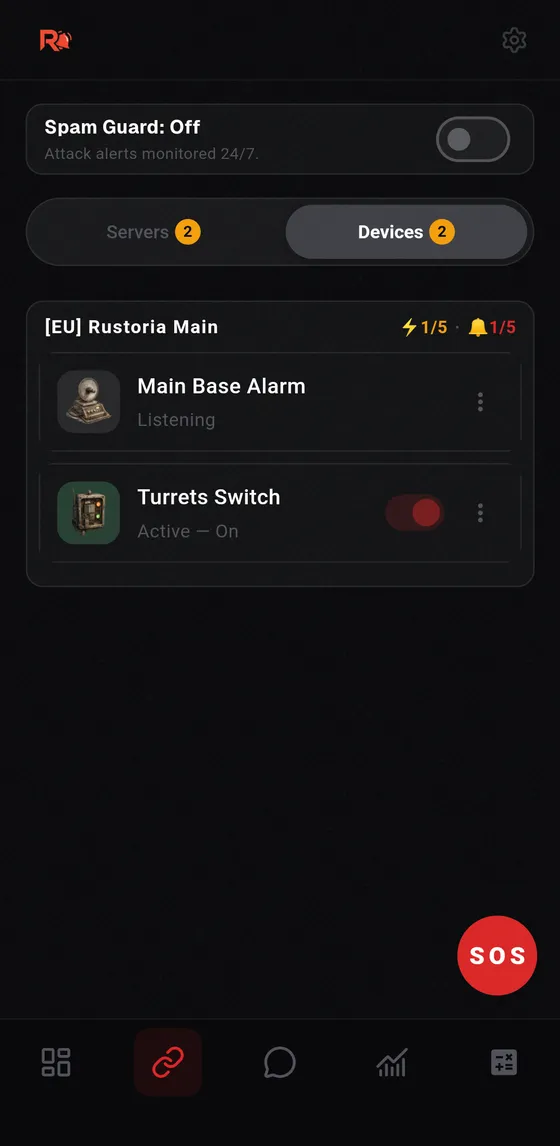
Raid Alarm turns the alert into a call. Every teammate who installs the app and signs in with their own Steam account gets the same call. It adds an SOS button, Spam Guard, team chat, attack statistics and Smart Automation on top of the pairing and notification features that Rust+ offers.
Be aware of the limits. It is an unofficial third-party app, it needs a Premium subscription to pair servers, and your phone must not be on silent or Do Not Disturb for the call to ring.
The Discord bot: alerts where your team already talks
If your team lives on Discord, the Raid Alarm Discord bot puts raid, SOS and team alerts into a channel. It can also play a voice alarm in the voice channel you are sitting in. Read the full setup in how to get Rust raid alerts in Discord.
Which one should you pick?
- Playing casually and online a lot: Rust+ is enough.
- Sleeping while other time zones are awake, or you want the whole team woken up: use Raid Alarm.
- Team coordinates on Discord: add the bot as well. They work together.
Frequently asked questions
Is Raid Alarm better than Rust+?
They solve different problems. Rust+ is free and official. Raid Alarm adds phone-call alerts, SOS and Spam Guard for players who cannot afford to sleep through a raid.
Do I need Rust+ if I use Raid Alarm?
No. Raid Alarm covers pairing and notifications. If you do not use Rust+, you do not need to sign in to it with your Steam account.
Does Raid Alarm cost money?
Yes. Server pairing and the full feature set need a Premium subscription, available weekly, monthly or yearly.
Can I use the Discord bot without the app?
The bot links to your Raid Alarm account, so you set it up from the app with a link code.