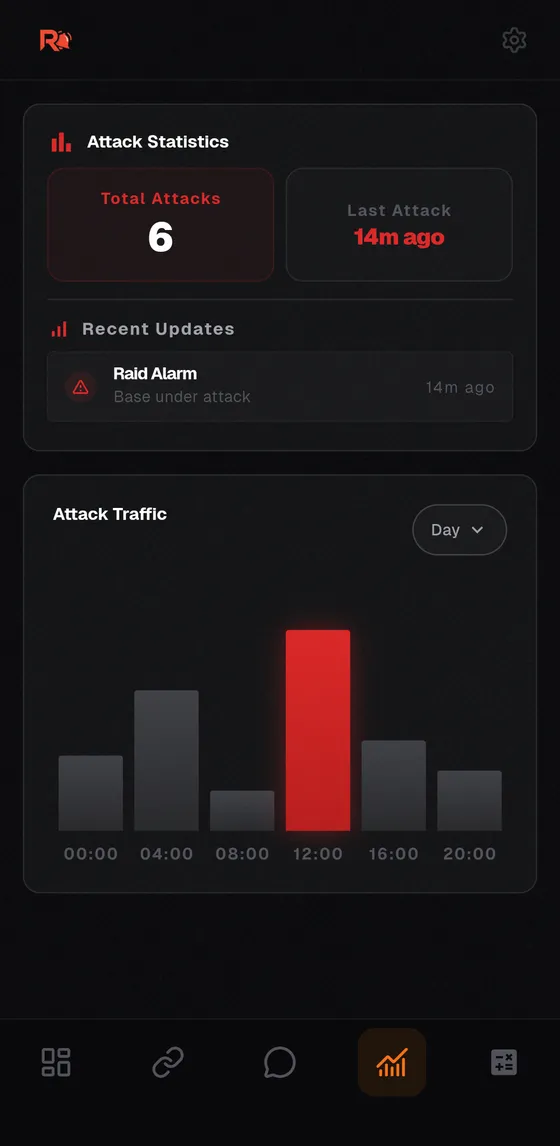
 Raid Alarm
How to get a call when you are raided offline in Rust
Most bases fall while their owners are asleep or logged out. You cannot prevent every raid, but you can make sure you hear about it in seconds, while there is still something to defend. For the base-design side, read how to stop offline raiding in Rust.
Step 1: build a trigger that catches the raid early
Wire sensors near entrances, external walls or compound gates to a Smart Alarm, and pair that alarm with your phone. The earlier in the raid the alarm fires, the more time your team has. Setup details are in how to set up a raid alarm in Rust.
Step 2: make the alert impossible to ignore
A silent push notification will not wake most people. Use an alert that rings like a phone call. With Raid Alarm, when your base is attacked every teammate's phone rings at the same time, whether you play solo or with a team.
Step 3: bring your team in
- Every teammate installs the app on their own phone and signs in with their own Steam account. The server pairing completes automatically.
- The SOS button calls your offline teammates into the game before a raid even starts, for example when you spot suspicious players near your base.
- Team chat lets you talk to your team and see who is online without opening the game.
Step 4: avoid call spam
During a long raid the game can trigger the alarm again after a short interval. Once you are awake, turn Spam Guard on so your phone does not keep ringing. Remember that it also silences later attacks until you turn it off again.
Step 5: make sure the phone can actually ring
Your phone must not be on silent, and Do Not Disturb must be off or your alert app must be allowed in its exceptions. Otherwise you only get a silent on-screen alert.
Know what hit you
After a raid, attack statistics show total raids and how recent the events were, and the raid calculator helps you compare the fastest and the cheapest way into a target when you plan your own raids.